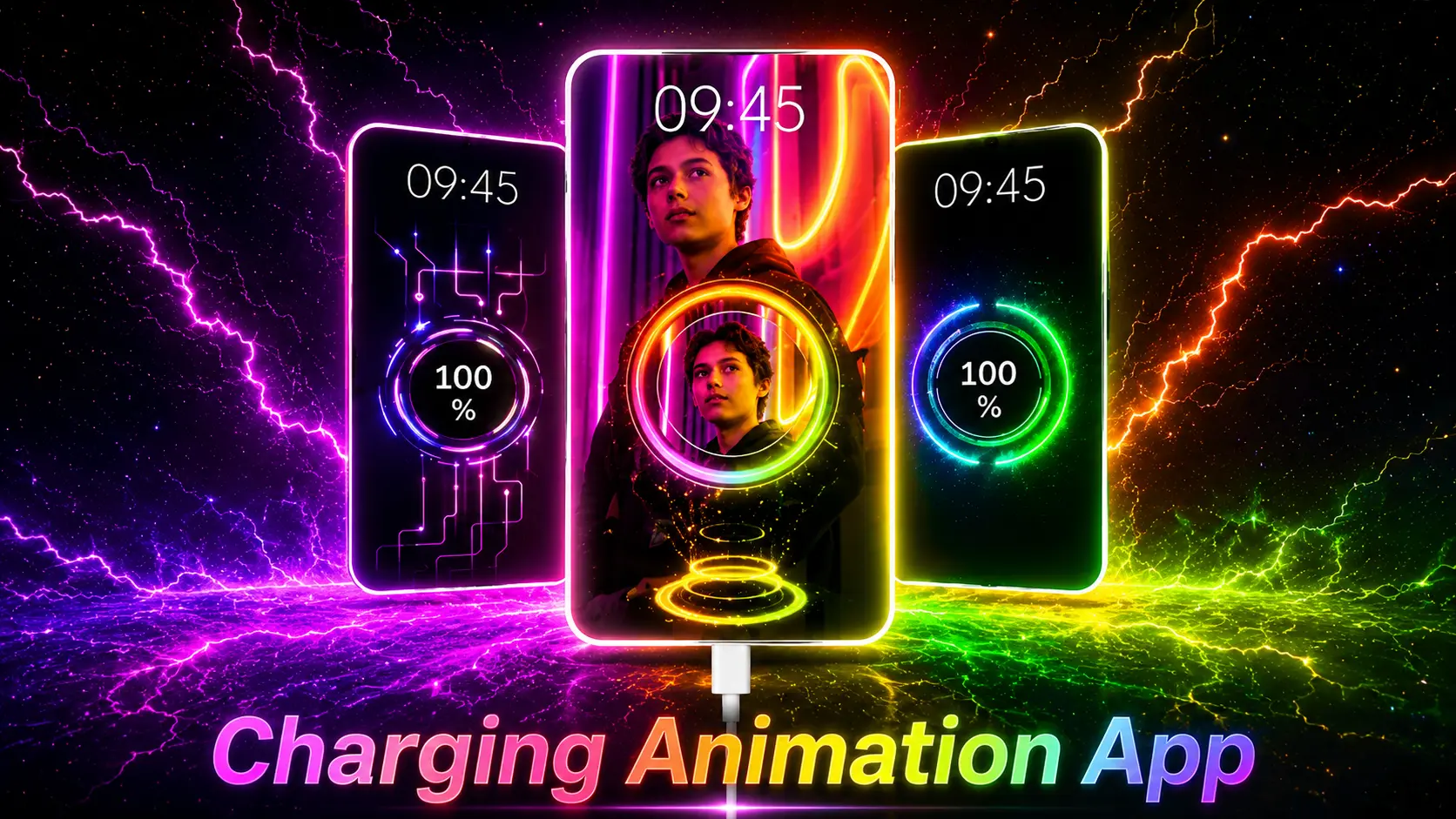
When you plug in your phone for charging — what do you see? Just a simple battery icon, right?
That is boring. And there is a free app that can completely change that experience.
It is called Battery Charging Animation 4K. And in this post, I will tell you everything about it — what it does, how to use it, and why you should try it today.
What is Battery Charging Animation 4K?
Battery Charging Animation 4K is a free Android app. When you connect your phone to the charger, this app replaces the default charging screen with beautiful 4K animations and visual effects.
Instead of a boring battery icon, you will see cool neon lights, electric effects, RGB animations, and much more — all in high quality.
It is a simple app but it makes your phone look very premium and stylish.
Main Features of This App
Here are the best things about Battery Charging Animation 4K:
1. 4K Charging Animations
The animations are in 4K quality. They are smooth, colorful, and look really good on any Android screen.
2. Hundreds of Themes to Choose From
You can pick from many different animation styles like:
- Neon Effects
- RGB Animation
- Electric Charging Effects
- Energy Wave Animation
- Futuristic Sci-Fi Themes
- Gaming Style Effects
There is something for everyone here.
3. Battery Info on Screen
While your phone is charging, the app also shows useful information like:
- Battery percentage
- Charging speed
- Battery temperature
- Battery health
- Voltage details
So you are not just getting a cool screen — you are also getting real information about your battery.
4. Very Easy to Use
The app interface is very clean and simple. Even if you are using this type of app for the first time, you will understand it in 2 minutes.
5. Light on Phone Performance
Many animation apps slow down the phone. But this app is lightweight and runs smoothly even on mid-range phones.
How to Use Battery Charging Animation 4K — Step by Step
Using this app is very simple. Just follow these steps:
Step 1 — Download the app from Google Play Store
Step 2 — Open the app and give the required permissions
Step 3 — Choose your favourite charging animation from the list
Step 4 — Turn on the “Enable Animation” option
Step 5 — Now plug in your charger — and the animation will start automatically
That is it. No complicated settings. No technical knowledge needed.
Different Types of Animations Available
Here is a quick look at the animation categories inside the app:
Neon Charging Effects — Bright neon colors that look amazing in the dark
Lightning Effects — Looks like electricity is flowing through your phone
Futuristic Animation — Sci-fi style design like you see in movies
RGB Effects — Perfect for gaming lovers who like colorful lighting
Energy Flow Animation — Shows a beautiful visual of power flowing into the battery
Is This App Safe for Battery?
Many people ask this question — will a charging animation app damage my battery?
The answer is — no. This app only displays a visual effect on your screen while charging. It does not interfere with the actual charging process.
But always remember these things:
- Only download from Google Play Store
- Turn off background permissions you do not need
- Always use the latest updated version of the app
If you follow these simple tips, there is nothing to worry about.
Who Should Use This App?
This app is good for almost anyone who uses an Android phone. But it is especially great for:
- People who love Android customization
- Gamers who want an RGB style setup
- Content creators who make phone setup or review videos
- Students who want their phone to look unique
- Tech lovers who like trying new apps
If you like keeping your phone looking different from others — this app is made for you.
Bonus Tip for Content Creators
If you make YouTube Shorts, Instagram Reels, or Facebook videos — you can use this app to make interesting content like:
- Charging animation showcase videos
- Android customization reels
- Smartphone tips and tricks videos
- Aesthetic mobile setup videos
These types of videos are getting very good views right now on all platforms.
Download Battery Charging Animation 4K
The app is completely free on Google Play Store.
Download Battery Charging Animation 4K — Google Play Store
Final Words
If you are bored of your plain charging screen — Battery Charging Animation 4K is the perfect app to try.
It is free, easy to use, works on all Android phones, and gives your phone a completely new and premium look every time you charge it.
I personally think this is one of those hidden apps that most people do not know about — but once you use it, you will not go back to the boring default screen.
Try it and let me know what you think in the comments below.